HOW TO ADD OR UPDATE BANK DETAILS IN GOJO DRIVER APP:
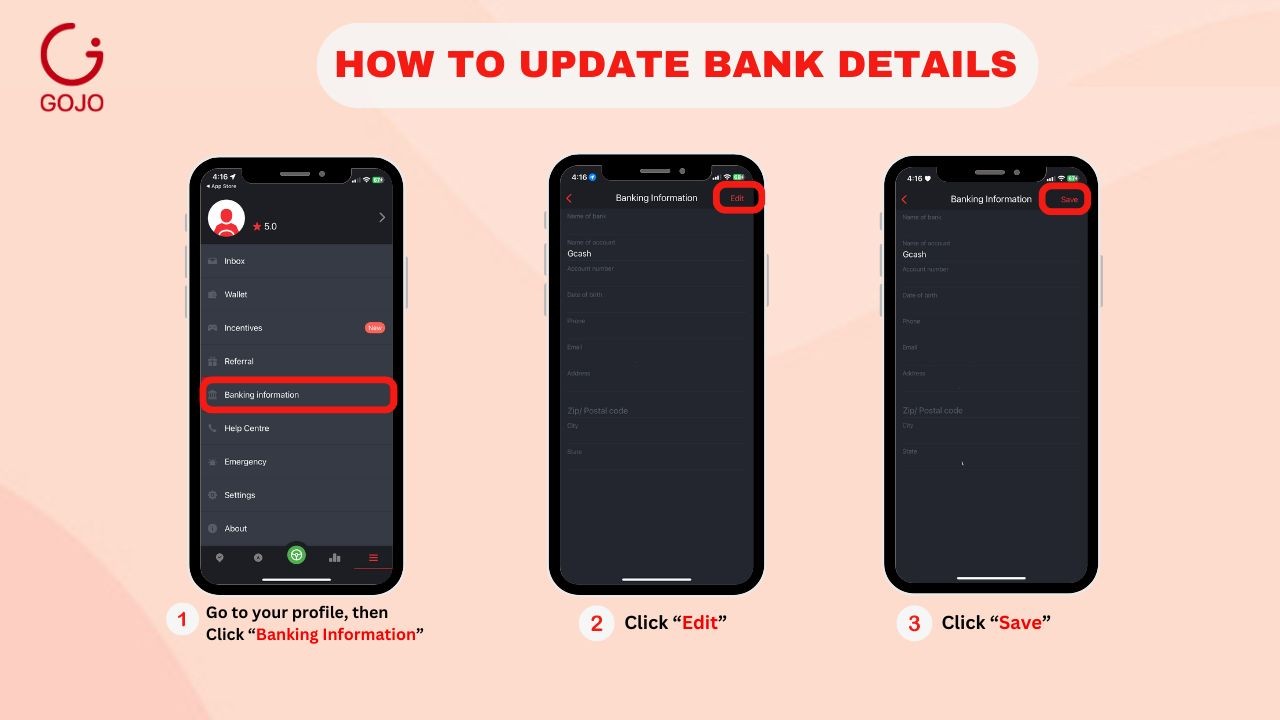
1. Go to your Profile, then click "BANKING INFORMATION"
2. Click "EDIT", then enter the details needed.
3. Click "SAVE"

Modified on: Wed, 1 Apr, 2026 at 12:07 PM
HOW TO ADD OR UPDATE BANK DETAILS IN GOJO DRIVER APP:
1. Go to your Profile, then click "BANKING INFORMATION"
2. Click "EDIT", then enter the details needed.
3. Click "SAVE"
Did you find it helpful? Yes No
Send feedback